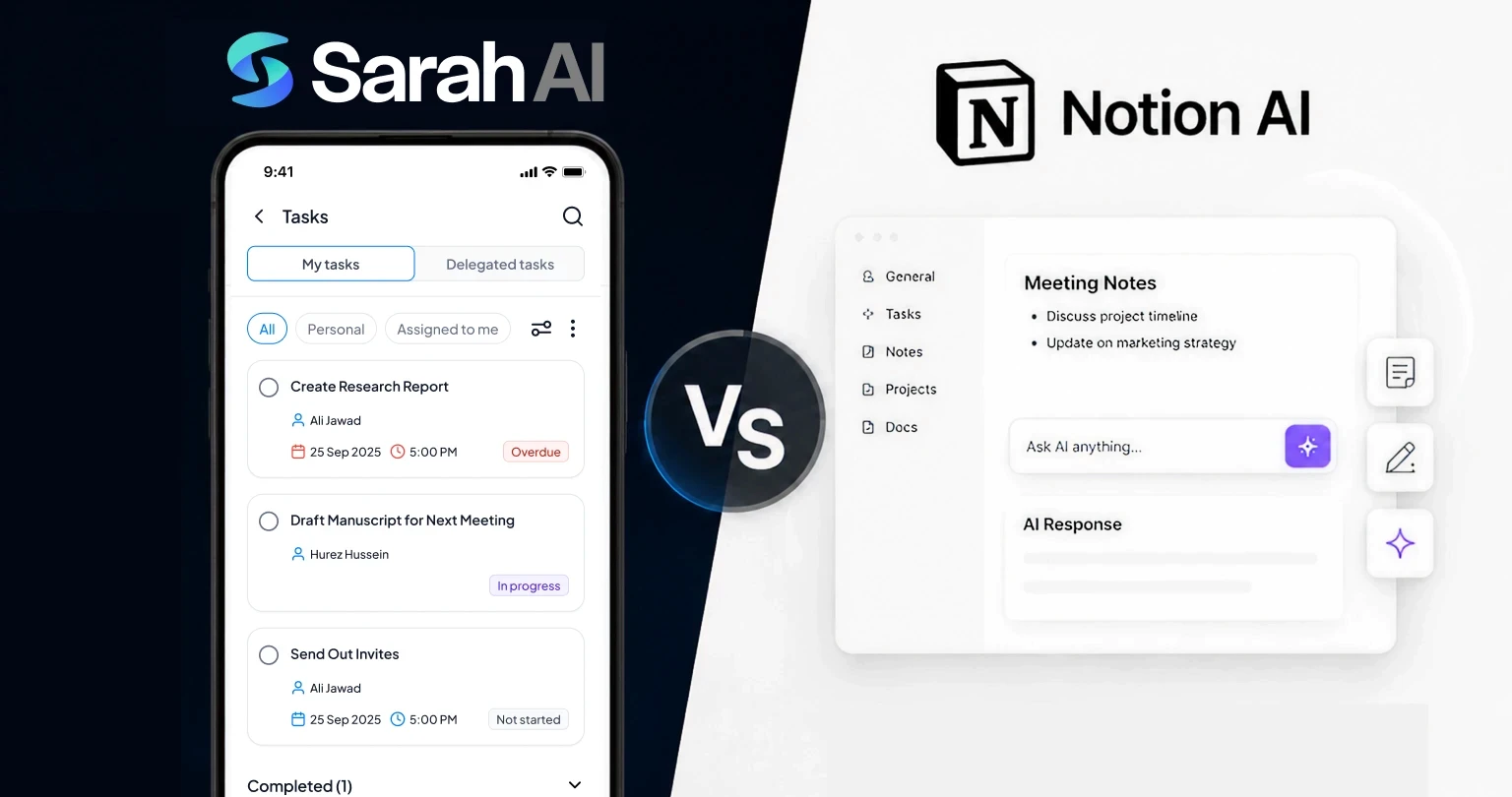
Compare
9 Min
|

Copied


It is 8:47 am. You are in your car.
Seventeen unread messages. Two missed follow-ups from yesterday. A client is waiting on a proposal you meant to send. Your team lead has gone quiet on a project you discussed on Monday. And somewhere in a browser tab you have not opened since last Tuesday, there is a Notion workspace that has all of this. Every task. Every note. Every deadline.
It is in there. Organised, structured, colour-coded.
And completely useless to you right now.
Because opening Notion, navigating to the right database, finding the right page, and pulling up the right task while you are in motion, between calls, juggling everything at once, is not how your day actually works. It never was.
This is not a Notion AI problem. This is a category problem. Notion AI is a brilliant tool built around a single assumption: that you will come to it. That you will open it, maintain it, and query it. For the right team, in the right context, that assumption holds.
For most professionals, it does not.
SarahAI is built on the opposite assumption. It comes to you. Before your first meeting, your daily brief is already in WhatsApp. That overdue task your team member has not touched? Followed up automatically. The voice note you sent at 8:47 am from your car? Logged, assigned, tracked. One message. One tap. Nothing unnoticed.
That is the difference this comparison is here to clear.
Whether you are a Notion AI user wondering if you are getting everything you could be, or a business professional who has never opened Notion in your life, this breakdown covers SarahAI vs Notion AI across every dimension that matters to a business owner in 2026.
First: What Notion AI Is, and What It Is Genuinely Good At
Let us be clear about something upfront: Notion AI is a well-built product, and it deserves the reputation it has earned. This is not a takedown.
Notion AI is an AI layer built into the Notion workspace. If your team already lives inside Notion, organising projects in databases, writing documentation, managing wikis, and running product roadmaps, Notion AI is a natural and powerful extension of that environment. It earns its place.
Where Notion AI Shines
Writing and editing assistance. Notion AI can draft, summarise, improve, and translate any text inside your workspace. For content teams, this is genuinely valuable.
Database summarisation. It can surface insights from your Notion databases, giving you quick overviews of projects, tasks, and statuses without manual review.
Knowledge base querying. Ask Notion AI a question about your company docs and it will pull relevant answers from across your workspace. Powerful for onboarding and internal search.
Connected workspace logic. Because it sits inside Notion, it understands the relationships between your pages, databases, and linked content.
Meeting notes and action items. Paste in a transcript or rough notes and Notion AI will structure it cleanly.
According to Notion's own data, teams using Notion AI report saving an average of four hours per week on writing and documentation tasks. That is a real number for content-heavy operations.
So Notion AI deserves its reputation. The honest question is: Does it solve the right problem for your business?

The Problem Notion AI Was Not Designed to Solve
Notion AI is a reactive tool. It responds when you open Notion and ask it something. It enhances a workspace you have already built and actively maintain.
For that model to work, a few things have to be true:
Your team has to live inside Notion consistently
Your workspace has to be well-organised and up to date
You have to remember to open Notion and ask the right questions
Here is the reality for most SME founders: none of those three things are truly reliable.
You are not at a desk for eight hours. You are in meetings, on calls, at client sites, and in transit. Your Notion workspace, if you have one, is probably not perfectly maintained. And the questions you need answered are not always the ones you think to type into a search bar.
"The best productivity system is the one you actually use. Not the one that makes the most sense in theory."
Cal Newport, author of Deep Work
This is the core tension in the SarahAI vs Notion AI debate. Notion AI is brilliant if you are disciplined enough to build and maintain the system it requires. SarahAI is built for professionals who are too busy to maintain any system at all.
What SarahAI Is, and the Category It Actually Belongs To
SarahAI is an AI executive assistant. Not a workspace tool. Not a document editor. Not a knowledge base.
The distinction matters more than it sounds. An AI executive assistant is proactive. It reaches out to you. It follows up without being asked. It creates tasks from a voice note you sent at 7 am. It sends your team a reminder about the client call you mentioned three days ago. It surfaces what is overdue before you have to chase it.
It works via WhatsApp and the SarahAI app, using voice or text, in over 100 languages. There is no workspace to build. No database schema to design. No onboarding maze to get through before it becomes useful.
What SarahAI Does Day to Day
Task creation and delegation. Via voice note, text, or the app. Assign a task to yourself or delegate it to a team member. Tracked automatically.
Intelligent daily brief. Every morning, SarahAI sends you a summary of your day: meetings, overdue tasks, priority items. Delivered to WhatsApp before your first meeting.
Smart reminders and follow-ups. SarahAI follows up on tasks that have not been completed. You do not have to chase.
Calendar management. Schedule, reschedule, and get briefed on meetings without opening a calendar app.
Email summarisation. Get the key points from your inbox without wading through it.
Voice-first input. Send a voice note from anywhere. SarahAI transcribes, understands intent, and acts. No typing required.
Team coordination. Delegate tasks to team members who receive and update via their own WhatsApp. No additional app required on their end.
For a deeper look at how the voice-first workflow changes daily productivity, see Turn Voice Notes into Tasks: A Guide for Busy Entrepreneurs.
Reactive vs Proactive: The Sharpest Line Between These Two Tools
This is the single most important frame for understanding the difference between SarahAI and Notion AI.
Notion AI (Reactive) | SarahAI (Proactive) |
|---|---|
Waits for you to open Notion | Sends your daily brief every morning unprompted |
Answers questions when asked | Follows up on tasks that have not been completed |
Summarises what is already in your workspace | Captures new information from voice and text in real time |
Lives inside a browser or desktop app | Lives inside WhatsApp, where you already are |
Requires a maintained workspace to be useful | Useful from day one, no setup required |
Surfaces information on demand | Alerts you to what matters before you think to ask |
Neither mode is wrong. But for a founder whose day does not start at a desk, the proactive model is not just more convenient. It is the only one that actually works.
Full Feature Comparison: SarahAI vs Notion AI
Feature | NotionAI | SarahAI |
|---|---|---|
Primary purpose | AI-enhanced workspace and docs | AI executive assistant |
Task creation by voice | No | Yes, via WhatsApp voice note |
WhatsApp integration | No | Native, full two-way interaction |
Daily brief / proactive updates | No | Yes, every morning to WhatsApp |
Team task delegation | Manual, inside Notion | Automated, via WhatsApp for all |
Automatic follow-ups | No | Yes, tracks and chases overdue tasks |
Calendar management | Limited | Full scheduling and briefing |
Email summarisation | Yes, inside Notion | Yes, delivered to WhatsApp |
Writing and editing AI | Strong | Not the focus |
Knowledge base/docs | Strong | Not the focus |
Works without a pre-built system | No, requires Notion setup | Yes, works from day one |
Multilingual voice input | No | Yes, 100+ languages |
Mobile-first experience | Companion app only | Built for mobile and WhatsApp |
Onboarding time | Hours to days | Minutes |
Entry price | Notion Plus + AI add-on (~$20+/mo) | $9.99/user/month |
Best for | Content teams, knowledge workers | SME founders, team leaders, field operators, growing teams |
If You Are Already Using Notion AI, Here Is What to Consider
If Notion is your team's central workspace and you are getting value from Notion AI for documentation, writing, and internal search, you do not need to abandon it. These tools can coexist, and for some teams, they should.
What Notion AI cannot give you is the operational layer. The morning brief. The WhatsApp task delegation. The automated follow-up to the team member who has not closed that task from four days ago. The voice note you send from the car that becomes a tracked action before you arrive.
How Notion Users Typically Transition to SarahAI
The pattern we see most often is not replacement. It is layering.
Week 1 and 2: Start using SarahAI for daily briefs and voice-note task capture. Keep Notion for documentation.
Week 3 and 4: Begin delegating team tasks through SarahAI. Notice that task follow-ups happen automatically without chasing.
Month 2: Many professionals find they are opening Notion less frequently for operational items. It becomes a reference library rather than an active management tool.
Month 3 and beyond: SarahAI handles the day-to-day operational layer. Notion, if still used, handles long-form documentation and company knowledge.
This is not a forced migration. It is a natural shift that happens when professionals experience what a genuinely proactive AI assistant feels like in daily use.
For more on how the AI assistant category differs from workspace tools, Beyond Automation: Why AI Assistants Are About Decisions, Not Just Tasks covers this in depth.
If You Have Never Used Notion AI, Here Is Why SarahAI Is the Right Starting Point
Many professionals look at Notion and feel a version of the same thing: it looks powerful, but setting it up feels like a project in itself.
That instinct is not laziness. It is a reasonable assessment of the time cost involved in building a system that has to be maintained before it becomes useful.
SarahAI requires no pre-existing system. You do not need to design a database, set up a workspace, or complete an onboarding module before it starts helping you. You send a message or a voice note and something happens. That is the entire model.
What Day One Looks Like with SarahAI
Sign up and connect WhatsApp. Done in under five minutes.
Send a voice note: 'Remind me to follow up with Ahmed on Thursday at 10 am.'
SarahAI confirms the reminder in the same thread. Ahmed gets a task if you delegate it.
The next morning, your daily brief arrives in WhatsApp before your first meeting.
There is no step two where you have to build the system first. The assistant works immediately.
For professionals who are mobile-first, field-based, or simply too busy to maintain a complex system, SarahAI is not a compromise version of Notion AI. It is a different and more appropriate tool for that context. Why Small Businesses Deserve Big AI argues exactly this point.
Pain Points This Comparison Addresses Directly
I built a Notion system and stopped using it within a month
This is one of the most common experiences in the productivity tool space. Notion requires active maintenance. If you fall behind on updating it, the system degrades and loses value. SarahAI has no equivalent failure mode because it does not rely on a system you maintain. It captures inputs in real time and acts on them automatically.
My team does not open the tools I roll out
Team adoption is the hidden cost of almost every productivity platform. SarahAI sidesteps this entirely. Every team member already has WhatsApp. When you delegate a task through SarahAI, the assignee receives it in their WhatsApp. No new app. No new login. No training. The tool reaches the team through the channel they already use.
I need to manage tasks on the go, not at a desk
Notion AI, even with its mobile app, is designed around a screen-heavy interface that works best when you are sitting at a computer. SarahAI is built for the opposite scenario. Voice note from the car. Text reminder between meetings. Daily brief on your walk to the office. Voice-First Leadership: Capturing the Speed of Thought on the Move explores why this matters more than most founders realise.
I want AI that follows up, not just answers
Notion AI will tell you what is in your workspace if you ask. It will not tell you that a task assigned to your sales lead is three days overdue and still unresolved. SarahAI does the latter. The follow-up happens without you having to think about it.
I am paying for Notion and not using it enough to justify it
Notion's pricing works when your team is deeply embedded in the platform. When usage drops, the cost-to-value ratio shifts quickly. SarahAI at $9.99 per user per month is priced for SMEs and delivers immediate, daily value from day one. There is no minimum workspace activity required to get the benefit.
Pricing: A Practical Comparison
Plan | NotionAI | SarahAI |
|---|---|---|
Entry price | Notion Plus (~$10/mo) + AI add-on (~$10/mo) = ~$20+/mo per user | $9.99/user/month, all features included |
Free trial | Limited free tier, AI behind paywall | 14-day free trial, no credit card required |
Requires existing tool | Yes, Notion workspace | No, standalone product |
Team pricing | Per seat on top of Notion plan | Per seat, transparent pricing |
Best value for | Teams already paying for Notion | SMEs starting fresh or switching |
For teams not already on Notion, SarahAI is simply the better financial decision. For teams that are on Notion, the question is whether the operational gap SarahAI fills is worth $9.99 per user per month on top of what you are already spending.
Most founders who try it answer that question within the first week.
See full pricing details at thesarahai.com/pricing.
What Is Coming Next for SarahAI: The Roadmap Worth Knowing
If you are evaluating SarahAI as a long-term tool, the product roadmap matters as much as the current feature set. Here is what is coming.
Coming Soon | In Development | Vision Tier |
|---|---|---|
CRM integration (Salesforce, HubSpot) | AI Growth Pro tier | AI Chief of Staff mode |
ClickUp and Asana sync | Predictive task prioritisation | Full team operations AI layer |
Deeper email management | Cross-platform workflow triggers | Autonomous delegation and execution |
Advanced reporting and analytics | Expanded multilingual support | Sector-specific AI personas |
The direction of travel is clear. SarahAI is not building a better workspace. It is building the operational intelligence layer that sits above your tools and manages the execution layer of your business.
Notion AI's roadmap points toward a smarter, more connected knowledge base. Both directions are valid. They point to different destinations.
For more on what AI agents mean for SME operations, Voice Is the Next Frontier: Why Talking to Your Assistant Beats Typing is a good next read.
So, Who Wins? An Honest Answer
The question SarahAI vs Notion AI does not have a universal winner because they are not competing for the same thing.
Choose Notion AI if... | Choose SarahAI if... |
|---|---|
Your team already uses Notion daily | You run an SME and need operations managed, not documented |
You need AI writing and editing help | You want AI that works on WhatsApp without setup |
Knowledge management is your priority | Task delegation and follow-up are your daily bottlenecks |
You are a content or product team | You are a founder, field operator, or team leader |
You have time to build and maintain a system | You need something that works from day one |
If you are reading this as a Notion AI user: SarahAI does not replace what you love about Notion. It adds the operational layer that Notion cannot give you. Many founders run both.
If you are reading this without a Notion AI subscription, you do not need one to get started with AI business assistance. SarahAI is the faster, more immediately useful entry point.
Frequently Asked Questions
Can I use SarahAI and Notion AI at the same time?
Yes, and many founders do. Notion AI is a strong tool for documentation, writing, and knowledge management. SarahAI handles the operational layer: tasks, delegation, reminders, briefings, and WhatsApp access. They serve different purposes and complement each other without conflict.
Does SarahAI integrate with Notion?
Direct Notion integration is on the SarahAI product roadmap. In the interim, tasks created and managed through SarahAI operate independently of your Notion workspace. For most operational use cases, this is not a limitation.
Is SarahAI only useful if my team uses WhatsApp?
SarahAI works via both WhatsApp and the dedicated SarahAI app. WhatsApp is the most frictionless access point, particularly for team delegation, but the full feature set is available through the app as well. See our comparison of WhatsApp-Based AI Assistant vs a Dedicated AI Assistant App for more context.
How long does it take to set up SarahAI?
Most users are operational within five to ten minutes. Connect your WhatsApp, set your preferences, and send your first task. There is no workspace to build or database to configure before it becomes useful.
What happens to my Notion workspace if I switch to SarahAI?
Nothing. SarahAI does not touch your Notion workspace. If you decide to reduce your Notion usage over time, that is a separate decision. Many founders continue using Notion as a documentation and knowledge base while SarahAI handles day-to-day operations.
Is SarahAI suitable for teams that do not have a WhatsApp culture?
Yes. The SarahAI app provides all the same functionality for teams that prefer not to mix business and WhatsApp. The WhatsApp channel is the most adopted entry point, particularly in the GCC, South Asia, and Southeast Asia, but it is not mandatory.
The Bottom Line
Notion AI is a category-leading tool for knowledge work. If your business is built around documentation, content, and a team that lives inside a structured workspace, it earns its place.
But if your business looks more like most SMEs, fast-moving, mobile, distributed across WhatsApp groups and phone calls and client meetings, then SarahAI vs Notion AI is not a close contest for your use case.
SarahAI runs your operation. It sends you a brief before you start your day. It follows up when your team does not. It captures a task from a voice note before you forget it. It does the work that an executive assistant does, not the work that a content editor does.
Notion stores your work. SarahAI does your work.
That is not a rebuke of Notion AI. It is a clarification of categories that can save you months of trying to make the wrong tool do the right job.
For a broader look at how SarahAI fits into the AI tools landscape, WhatsApp AI vs Dedicated AI App: Which Works Better for Businesses and Why Small Businesses Deserve Big AI are worth reading next.